Sunday, April 16, 2023

A Step-by-Step Guide to Troubleshooting OCI Compute Instances Using Serial Console

 The Serial Console allows users to access the system console of a compute instance. Instance console connections should only be used for troubleshooting purposes only. For example, a successful boot is not happening, instance has malfunctioned or someone inadvertently played with the OPC keys. More details can be found under https://docs.oracle.com/en-us/iaas/Content/Compute/References/serialconsole.htm. In my case, on one fine day, i was not able to login to the instance using the OPC user. The SSH was not happening and i did not have any other choice rather than creating a serial console connection for Linux. I verified all the security lists rules and all seems to be fine at moment. I was getting the network error messages.


Thus, i went ahead and created the serial console connection for the malfunctioned instance.


Next, i logged in to an another working instance which was the same subnet as the malfunctioned instance. And under ~ directory, i pasted the content of the key used earlier during console connection to the id_rsa key file(this was converted via puttygen>conversion>export open SSH key(force new file format))

Windows powershell session:-


if you get below error on doing the ssh then you can also use the solution

Unable to negotiate with UNKNOWN port 65535:
no matching host key type found.
Their offer: ssh-rsa

solution:-

ssh -o HostKeyAlgorithms=+ssh-rsa `
    -o PubkeyAcceptedAlgorithms=+ssh-rsa `
    -i C:\Users\SamratSinha\Downloads\id_rsa `
    -o ProxyCommand="ssh -o HostKeyAlgorithms=+ssh-rsa -o PubkeyAcceptedAlgorithms=+ssh-rsa -i C:\Users\SamratSinha\Downloads\id_rsa -W %h:%p -p 443 ocid1.instanceconsoleconnection.oc1.iad.anuwcljtj6x6wyqco3urzk3cb3233p7onpd6reuioe3e5zznqp4a3hk3bkwq@instance-console.us-ashburn-1.oci.oraclecloud.com" `
    ocid1.instance.**********

Now, keeping the shell open, reboot the malfunctioned instance. We will see in the shell screen that reboot process are going on. Immediately press the ESC or F5 button until a menu appears.


press ENTER and we will get the below screen


Press Enter and immediately press ESC repeatedly until the next screen comes


Press e and in the section at the bottom add the content init=/bin/bash


Press ctrl-x


At this moment, we are logged into root user and have supersonic powers.:)

[root@localhost .ssh]# /usr/sbin/load_policy -i

[root@localhost .ssh]# /bin/mount -o remount,rw /

[root@localhost .ssh]# cd /home/opc/.ssh

[root@localhost .ssh]# ls -lrt

total 4

-rw-------. 1 opc opc 402 Jan  7 15:25 authorized_keys

[root@localhost .ssh]# cp authorized_keys authorized_keys_bkup

[root@localhost .ssh]#


We could see that someone modified the OPC authorized_keys file and that is the reason, why we were not able to login. Luckily, we have a backup else we had to regenerate the keys content again...

Reverted to the old key file


bash-4.4# cp authorized_keys_bkup authorized_keys

bash-4.4# ls -lrt

total 8

-rw-------. 1 root root 402 Apr 15 11:58 authorized_keys_bkup

-rw-------. 1 opc  opc  402 Apr 15 12:32 authorized_keys

Now, let us reboot the server from the same serial console root session

/usr/sbin/reboot -f

Here we are,


We can now delete the console connection from OCI console.

From this activity, we learnt that, we should always have the backup of opc keys. Also for best practice, always have the backup of the boot volume.

I hope this post helps someone. Till then, keep learning cloud.


References:-https://docs.oracle.com/en-us/iaas/Content/Compute/References/serialconsole.htm#four__maintenancemode


https://docs.oracle.com/en-us/iaas/Content/Compute/References/serialconsole.htm

Sunday, March 26, 2023

whitelist the IP address for accessing the Compute Instance in OCI

In Oracle Cloud Infrastructure (OCI), a whitelist is a security feature that allows you to specify a list of IP addresses or CIDR blocks that are permitted to access your resources.

A whitelist IP in Oracle Cloud is a list of approved IP addresses that can access a particular OCI resource, such as an instance, database, or storage bucket. When a whitelist is configured, only requests originating from the approved IP addresses can access the resource. All other requests are rejected by the OCI network security policies.

To add a whitelist IP in Oracle Cloud, you need to provide the IP address or range of IP addresses that you want to allow access to your resource. You can add the IP addresses manually or import a list of IP addresses from a file. Once the whitelist is set up, you can manage it by adding, deleting, or modifying the IP addresses as required.

Using a whitelist can help improve the security of your OCI resources by reducing the attack surface and limiting access to authorized users or systems. 


I had an existing security list and rules were defined as publicly open to all(0.0.0.0/0). Anyone having the public IP address of the compute instance and the key should have the access to the instance. Now, as part of this post, i want the restrict the access to only my machine. So, i am going to edit the existing rule and put my machine's IP address.


Now, if i try to login to the Compute instance, it should allow me to login.


This post illustrates a very basic security posture which we should maintain we spin off the instance very easily on the cloud. The access should not be open to all. Try to restrict the access as much as possible.
That's all for this post. I hope it will help someone. Till then, enjoy learning cloud.


Tuesday, February 21, 2023

Access Control for WAF in OCI aka Oracle Cloud Infrastructure

 In my last post https://samappsdba.blogspot.com/2023/01/web-application-firewall-as-reverse-proxy-server-oci.html, we have seen how we can setup the WAF in OCI. In this post, we will see how we can setup access control for WAF in OCI. 

What are access Controls:-Describes the conditions for an access rule used with a WAF policy.As a WAF administrator, you can define explicit actions for requests that meet various conditions. Conditions use various operations. A rule action can be set to allow, check, and return HTTP response for all matched requests.

In this post, i have tried to simulate a scenario, wherein if the requests are coming from Region India, it will not allow it.


Publish the changes. Now if I try to login


In the log, I can see that it has been blocked


Now, for the same region, how to allow a single IP address.

Conditions will be:-


Save the changes and publish it. Publishing the changes takes around 10 mins of time.

There it is


I can access the site now


I hope this post will help someone. Till then keep learning cloud.


Monday, January 23, 2023

Web Application Firewall(waf) as reverse proxy in Oracle Cloud (OCI)

 Oracle Cloud Infrastructure Web Application Firewall is a regional-based and edge enforcement service that is attached to an enforcement point, such as a load balancer or a web application domain name. WAF protects applications from malicious and unwanted internet traffic. WAF can protect any internet facing endpoint, providing consistent rule enforcement across a customer's applications. In this post, WAF works as a reverse proxy between the client and your website server. The real IP addresses of your website server are hidden from the visitors, and only the IP addresses of WAF are visible to them. The IP address of the web server is already mapped with DNS mapping.


Create WAF Policy


WAF Origin is basically the host or IP address of the public internet facing application that is being protected by the application. 


This takes time. Once it is created successfully, you will get the below screen.


Now test your application. Reference:-https://docs.oracle.com/en-us/iaas/Content/WAF/Concepts/gettingstarted.htm


Now, go to the OCI DNS Service and create a CNAME.


Publish the changes.


Next, modify the security lists of the webserver to recieve the requests from WAF. At this moment, we would need the IPV4 address of the WAF. If you scroll above, when we tested the application, we had recieved one IPV4 address. If I check the IP address for WAF server, it gives me the CIDR value with reference 192.29.50.64 and thus i used 192.29.0.0/16.


In the browser now, test it


We can verify the logs from WAF


Response code is 200.

I hope this post will be helpful for someone. In the next post, we will see how we can use Access Control in WAF for OCI. Till then, happy learning cloud.


Reference:-https://docs.oracle.com/en-us/iaas/Content/WAF/Concepts/overview.htm#:~:text=Oracle%20Cloud%20Infrastructure%20Web%20Application%20Firewall%20is%20a%20regional%2Dbased,malicious%20and%20unwanted%20internet%20traffic.


Sunday, November 13, 2022

SQLNET.ORA file got modified by OCI VM DB System upgrade

 In my last post https://samappsdba.blogspot.com/2022/11/upgrade-oracle-db-to-1916-on-oci-vm-db.html, i explaained the steps on how we did the patchset upgrade from 19.7 to 19.6 for OCI VM DB System. The activity was performed through Console. All the steps were done seamlessly but what we observed after the upgrade was that the SQLNET.ORA file was being modified. Now the SQLNET.ORA contains the DB wallet location.


As the wallet location were modifed, we had issues on querying the DBA tables.


The wallet information stord in controlfile and the wallet information stored in ewallet.p12 file was not matching. And because of this mismatch, we were getting the issue.

We had one backup taken before the upgrade from the console. We used the same backup to create a separate a new VM DB System and then copied the correct wallets. Once the correct wallets were placed in the desinated directory, the SQLNET.ORA file was modified so that it points to correct wallet location. At last bounced the database and we then were able to query the DBA tables. From this post, i just want to emphasize some points which are not mentioned clearly in the documentations from oracle.

1. Have a full backup of the database taken before the upgrade

2. Take the full backup of the files placed under $ORACLE_HOME/network/admin, especially the sqlnet.ora file

3. Once the upgrade is complete, validate the files under $ORACLE_HOME/network/admin and take a full backup of the database.


I hope this post will help someone. Till then, happy learning Cloud


Monday, November 7, 2022

upgrade oracle db to 19.16 on OCI VM DB Systems

 This post describes the steps on how we can upgrade the Oracle Database release 19.7 to 19.16  running on Oracle Cloud Infrastructure VM DB Systems. At the time of writing this post, 19.6 was the latest patchset available on the console. It is always advisable to go through the official documentations Upgrade your database from console. Also this note is not applicable for database running on ExaCS.

Prerequisites

The following are required in order to upgrade a database on a bare metal or virtual machine DB system:

The DB system must use Oracle Linux 7 (OL7)

If your DB System uses ASM storage management software, the system must use Oracle Grid Infrastructure 19c


Your Oracle database must be configured with the following settings in order to upgrade:

The database must be in archivelog mode.

The database must have flashback enabled. Your DB Recovery Dest should point to +RECO Diskgroup.


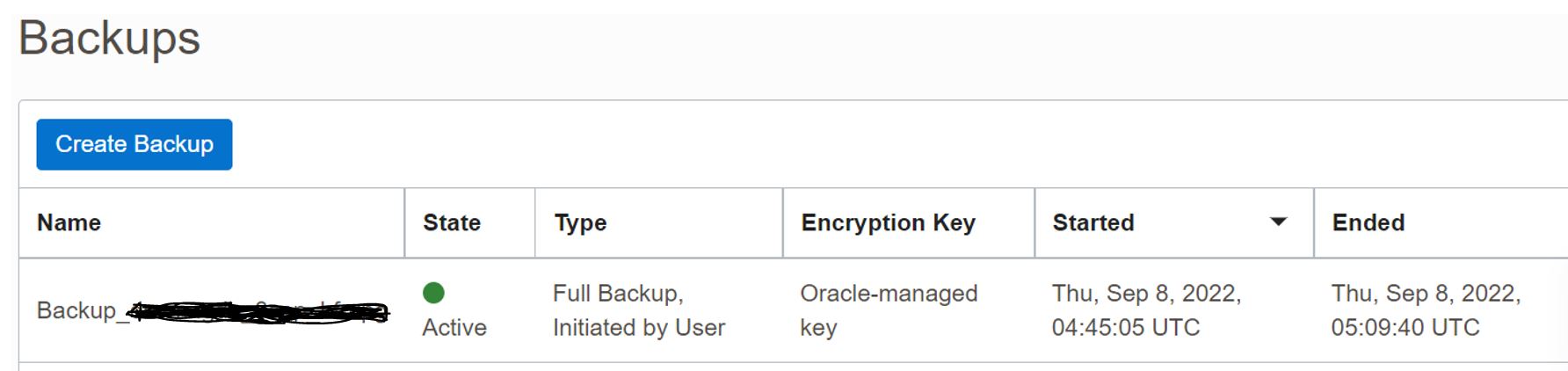
Before you proceed with the next steps, it is always advisable to take the full backup of the database. We had faced one major issue related to wallets which is not documented anywhere and this fullbackup helped us. I will blog this in my future posts.


Precheck

The Precheck gives you an option to upgrade the component for Grid Infrastructure as well as for the Database running on DB System. 

First, we did the upgrade for Grid Infrastructure and then we did it for Db System.


The Precheck ran for 10 mins.


Once the precheck is complete, we will click on "Apply".


Once the GI is moved to latest patchset, we will go the DB system and follow the same process


Post Upgrade Activity:-

1.     Verify if there are any errors in alert log.

2.     Verify the dba_registry

3.     In my case, this was the patchset upgrade but if you are doing a major upgrade, you need to decide when can you change the Compatible parameter. I normally do it after 1 week of upgrade. 

4.     Update the .bashrc to reflect the new Oracle Home. The tooling doesn't update it

5.     Take the manual backup and enable automatic backups if required

6.     Remove the Old Oracle home using DBCLI


 References:- https://docs.oracle.com/en-us/iaas/dbcs/doc/upgrade-database1.html

                     Daniel has published a wonderful blog on the major upgrade in this blog VM DB System DB upgrade


Sunday, September 18, 2022

DNS Load balancing via Traffic Steering Policy

 The Traffic Steering policy is an important component of DNS. Traffic Management Steering Policies facilitates intelligent response to the DNS queries based upon the policies we define. Traffic Management Steering Policies can account for health of answers to provide failover capabilities, provide the ability to load balance traffic across multiple resources, and account for the location where the query was initiated to provide a simple, flexible and powerful mechanism to efficiently steer DNS traffic. For more details, you can visit Oracle Docs


Image Courtesy:-Oracle Blog


Enough of the  theory, let us now jump to the demonstration. 

I have two web servers. One in Ashburn and one in Frankfurt region. 


Now create a public DNS Zone. I have my domain dumka.tk registered against Domain Registrar

Next, we will do the load balancing using the traffic Steering Policy


Once the policy is created, open the new browser and hit the domain name. We can see the response coming from from the 2 webservers respectively.


Refresh it


That's it for this post. I hope this post will be helpful for someone. Till, then keep learning cloud.